Tax and compliance
Configure tax-exempt customers and transaction overrides
Tax treatment requires evidence and jurisdiction-aware decisions. VMOTEK stores the customer certificate separately from an estimate, work order or invoice, then copies the effective evidence into the transaction. The snapshot explains why tax was not charged even if the customer record changes later. This guide describes software workflow, not tax advice; confirm applicability with the business's tax professional.
Written by the VMOTEK Product Team · Updated August 13, 2026
01
1. Open the customer exemption record
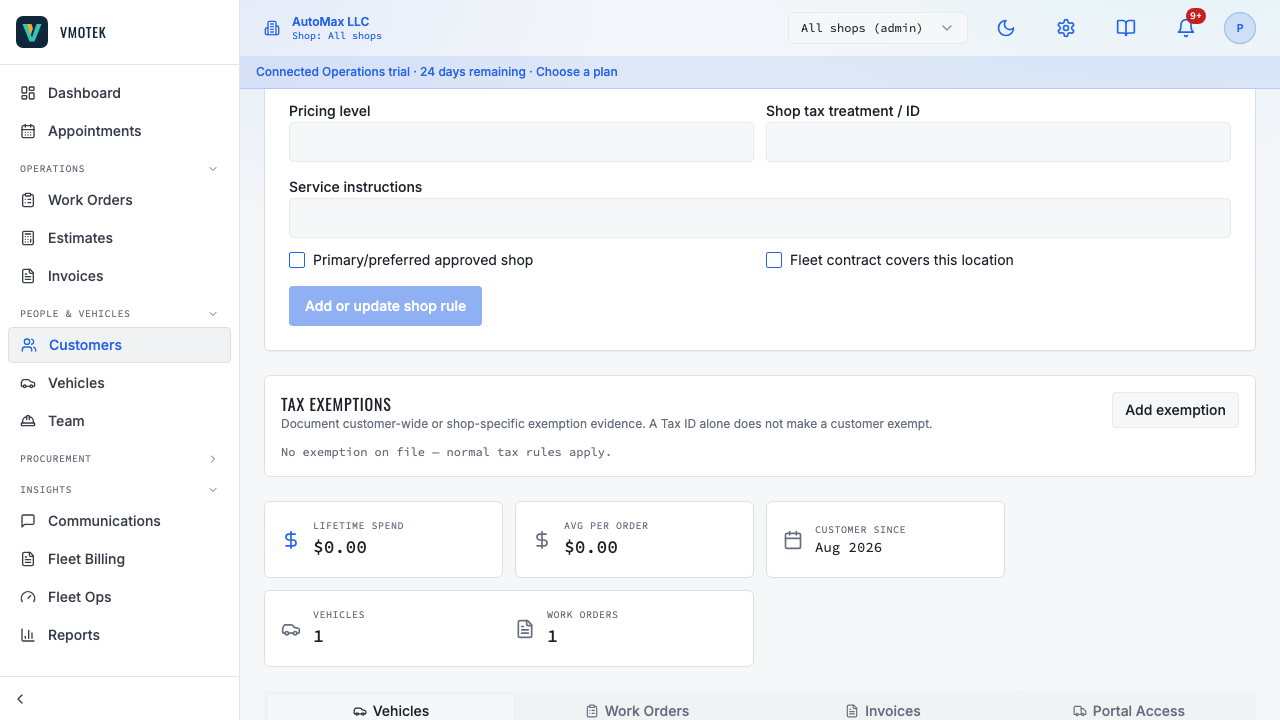
Select Customers, open the business or fleet customer, then locate Tax exemption. Choose Add exemption. Do not put a certificate only in free-form notes; the structured record is what VMOTEK can validate and snapshot.
02
2. Enter evidence and scope
Choose Company scope when the evidence applies throughout the organization. Choose a shop when jurisdiction or operating policy makes the decision location-specific. Enter exemption type, jurisdiction and certificate number; add effective and expiration dates plus a secure document reference when available. A shop-specific active record takes precedence at that shop and does not affect another location.
03
3. Create the transaction
When an eligible customer is used on a new estimate, work order or invoice, VMOTEK resolves the active record for the servicing shop, sets the applicable lines to exempt and stores an immutable evidence snapshot. Reopen the transaction and confirm the exempt treatment before sending it to the customer.
04
4. Make a transaction-only exception
On a work order, use the Taxable or Tax Exempt control when this specific job requires treatment different from the customer default. Enter a meaningful reason. VMOTEK records the actor, time and reason and changes only that transaction; it does not rewrite the customer certificate. Use this control only with appropriate authority.
05
5. Handle expiry and corrections
Expired or revoked evidence must not be selected as an active default. Update the customer record for future work, but do not edit a finalized invoice merely to match the new profile. Correct a finalized financial document through the approved credit, reversal and replacement process so its original evidence remains auditable.
06
6. Validate company and shop isolation
Test an exempt customer at the scoped shop, another shop and All Shops. Confirm the first transaction is exempt and the unrelated shop follows its normal tax setup. Finalize a test invoice, change the customer certificate and verify the invoice still displays the original snapshot.
Related product areas
Understand the capability behind the task
Continue to the applicable platform page for workflow behavior, role differences and connected operating consequences.
Ready to move forward?
Need help with your configuration?
Existing customers should use in-product support for account-aware assistance. Evaluation teams can contact us to discuss requirements.