Checklist
Repair shop software evaluation checklist
Do not choose shop software from a feature grid or polished sales demo. Build the same test scenario for every vendor, make them perform it with realistic data and score the evidence. This checklist gives your evaluation team a repeatable process, test scripts, scoring method and contract questions.
Written by the VMOTEK Product Team · Product reviewed August 13, 2026
01
1. Form the evaluation team and decision rules
Include the owner or general manager, service advisor, technician, bookkeeper, parts or purchasing lead and, when relevant, a multi-shop or fleet manager. Name one decision owner. Agree on mandatory requirements, scoring weights, budget boundaries and the date the team will decide before vendors begin presenting.
- Mandatory means the product must demonstrate it or be eliminated; it does not mean the vendor promises to build it later.
- Separate current capability, configured capability, paid add-on, partner integration and roadmap commitment.
- Require every evaluator to score independently before discussing a combined result.
02
2. Use a consistent 0–4 scoring scale
Score each requirement using evidence from the test environment. Multiply the score by the agreed weight, then record the proof, limitation and follow-up owner. A large total should never override a failed mandatory requirement.
- 0, absent or contradicted by the demonstration.
- 1, possible only through manual workarounds, spreadsheets or custom development.
- 2, partially works, but has meaningful operational gaps.
- 3, works as required with acceptable configuration or training.
- 4, works cleanly and provides measurable control or efficiency beyond the requirement.
03
3. Document your real operating model
Give every vendor the same facts: number of shops, bays, technicians, advisors, fleet accounts, monthly repair orders, inventory locations, vendors, legal entities and accounting system. Include how work is assigned, who approves purchases and whether fleet customers require POs or consolidated billing.
- Can each shop operate independently while leadership sees a cross-shop rollup?
- Can one customer, vehicle, part catalog and service history remain consistent across locations?
- Can access, assignment, inventory and financial authority be limited by shop and role?
04
4. Run one consumer repair from appointment to delivery
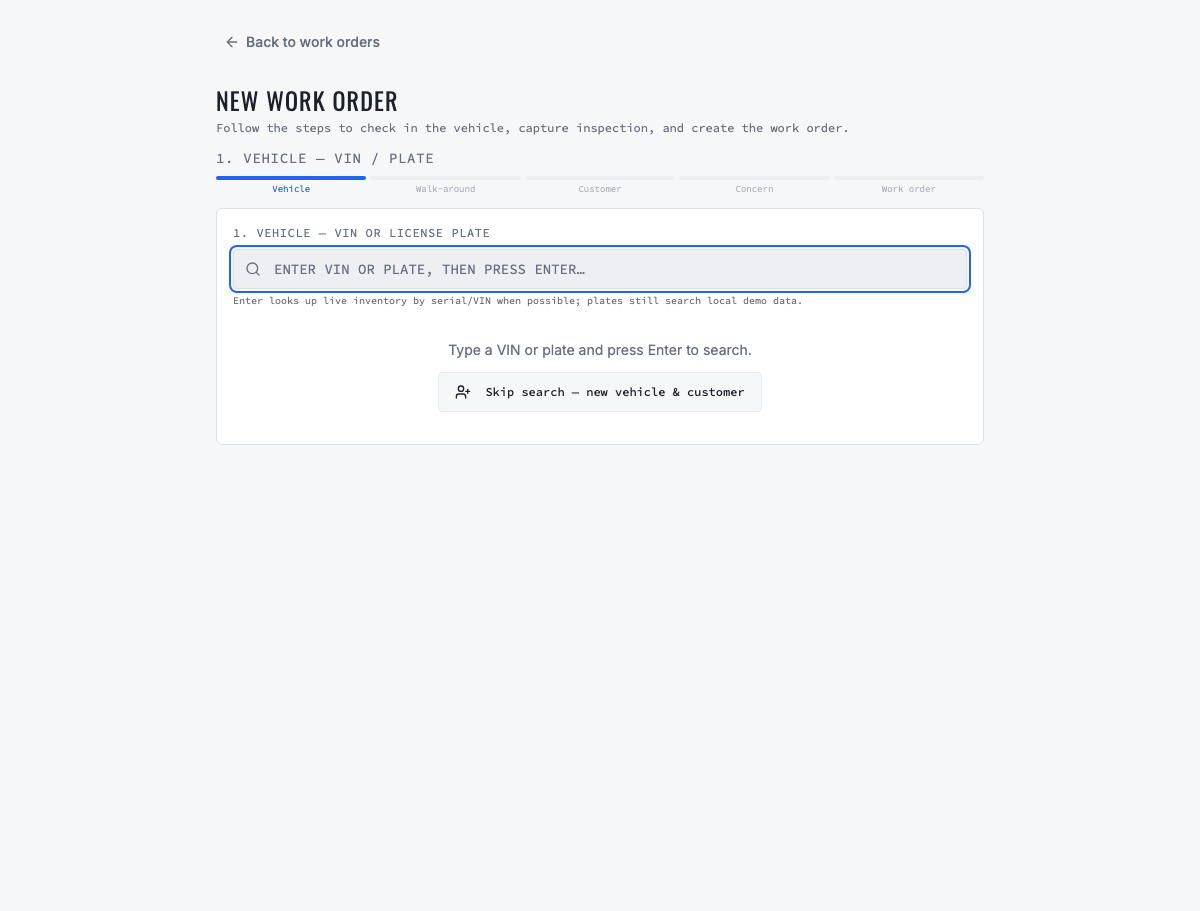
Require the vendor to create an appointment, check in the vehicle, record inspection evidence, prepare an estimate, obtain a mobile approval, create or update the work order, add parts and labor, assign a technician, complete the repair, create the invoice, email it, record payment and mark the vehicle delivered.
- Count every duplicate entry, page change, phone call and spreadsheet needed to finish the scenario.
- Ask what prevents a technician from starting unapproved or unready work.
- Verify declined work remains connected to the customer and vehicle for later follow-up.
- Inspect who changed status, price, assignment and authorization and when.
05
5. Run a fleet-service scenario
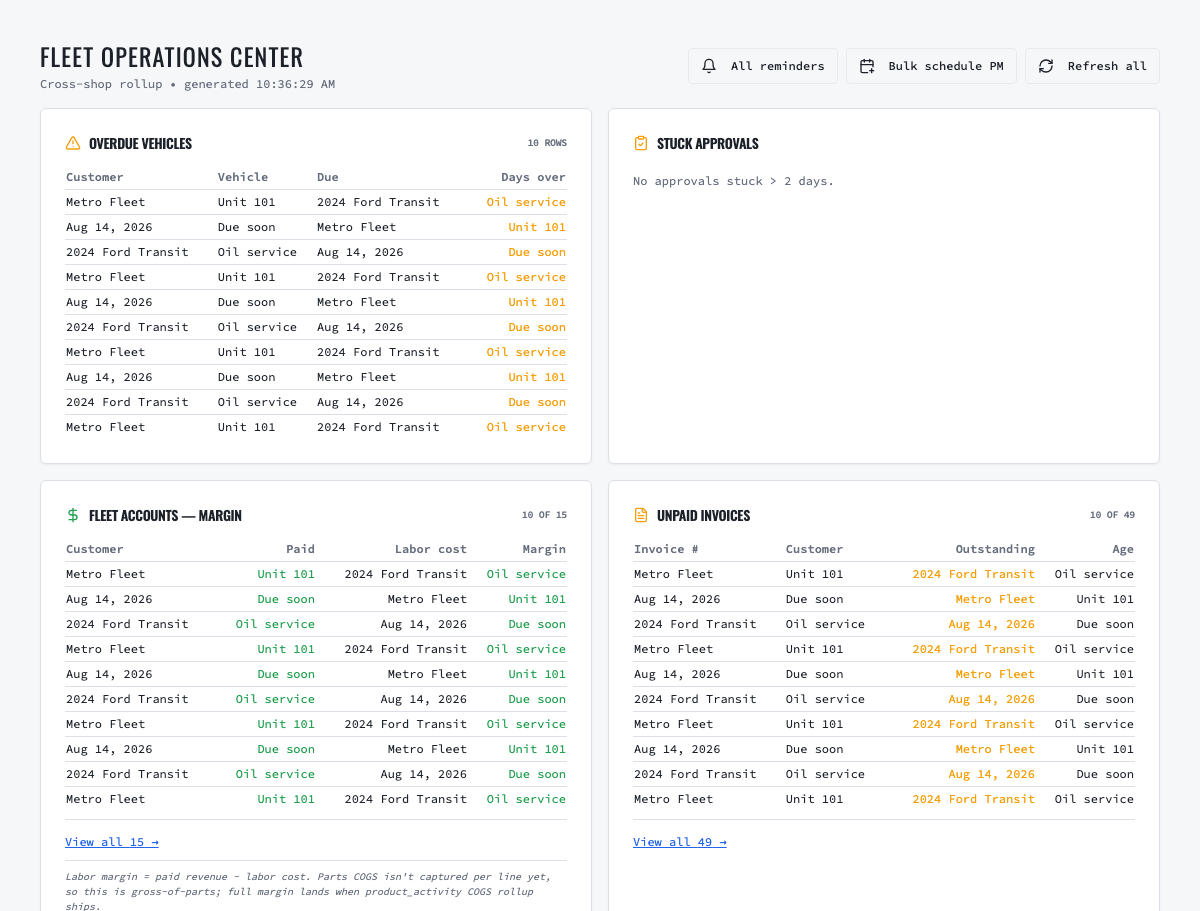
Create a fleet customer with an authorized contact, add multiple units, define time- or mileage-based maintenance, identify due and overdue service, bulk-schedule PM work, complete repairs across shops and generate either per-visit or consolidated billing. Ask the fleet contact to test portal access and approval from a phone.
- Does the due queue identify the unit, rule, due evidence and responsible customer?
- Can the shop convert a reminder into work without losing the maintenance relationship?
- Can one portal identity work with multiple service providers without gaining staff access?
- Can consolidated billing preserve the work-order detail behind the period invoice?
06
6. Pressure-test inventory and work-order parts
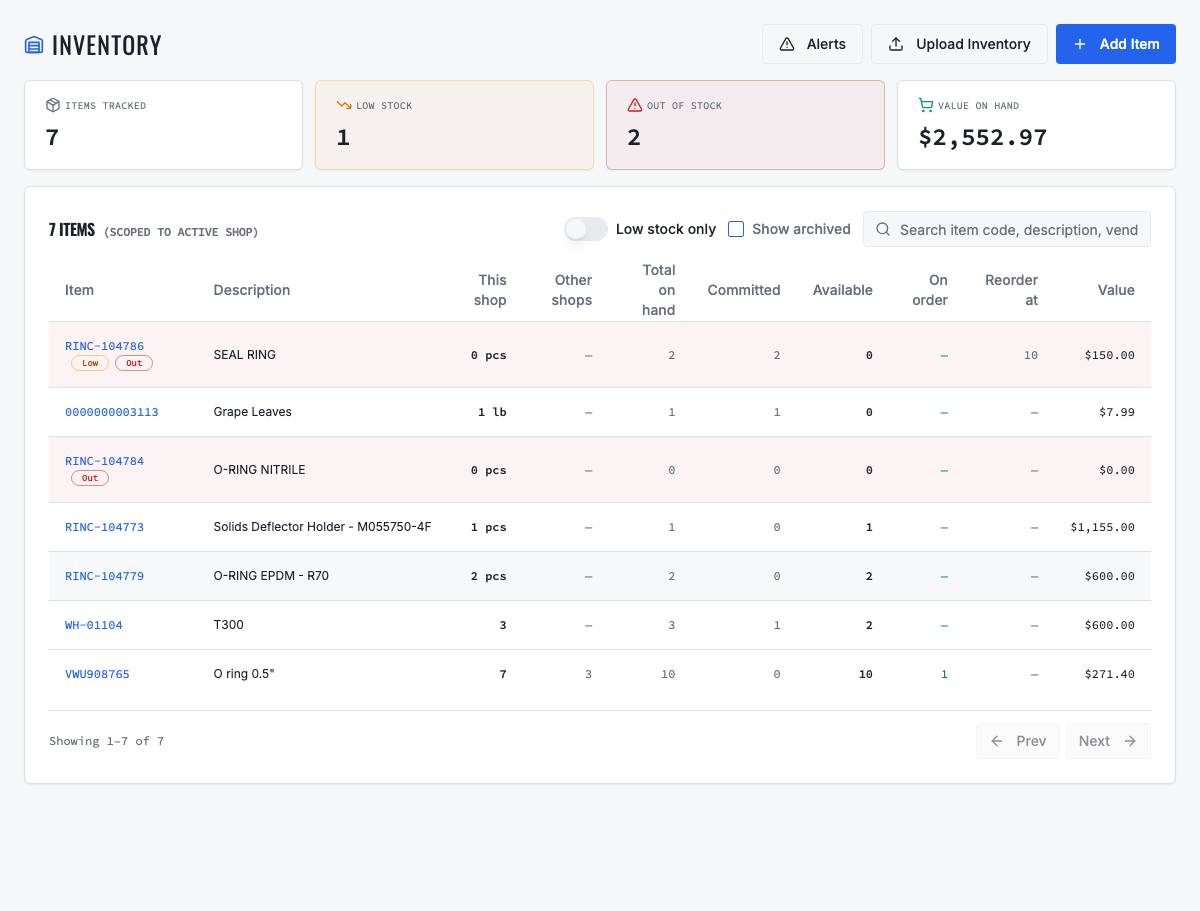
Search a part from a work order, distinguish on-hand from available quantity, allocate it, reverse it and inspect the activity history. For multi-shop evaluation, place the same catalog item in two locations, show local and other-shop quantity, transfer stock and confirm both balances change without duplicating the catalog item.
- Test low stock, committed stock, negative-stock prevention, adjustments and cycle-count corrections.
- Confirm cost, price, markup, tax, vendor part number, bin and fitment behavior.
- Trace quantity and cost from purchase receipt through work-order use and return.
07
7. Test direct and centralized procurement
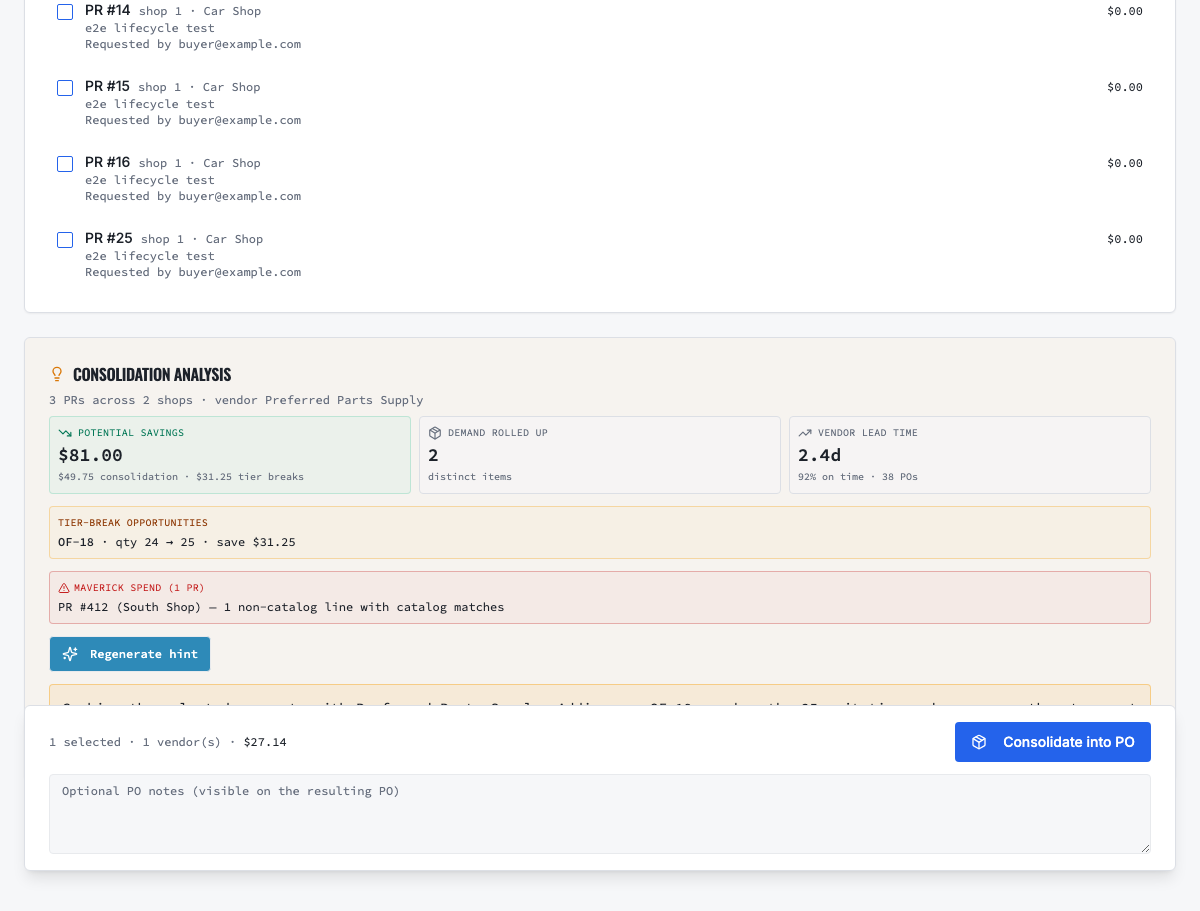
For a single shop, create, approve, send, partially receive and reconcile a purchase order. For a multi-shop group, create purchase requests from two locations, approve them, consolidate compatible demand by vendor, review price and savings evidence, create one PO and receive into the correct locations.
- Can request approval and final PO approval be separated?
- Does consolidation retain source shop, cost center and original request linkage?
- Can the buyer see historical price, quantity-tier, lead-time and catalog-match evidence?
- Does the product distinguish estimated opportunity from realized savings?
08
8. Test customer communication and approval
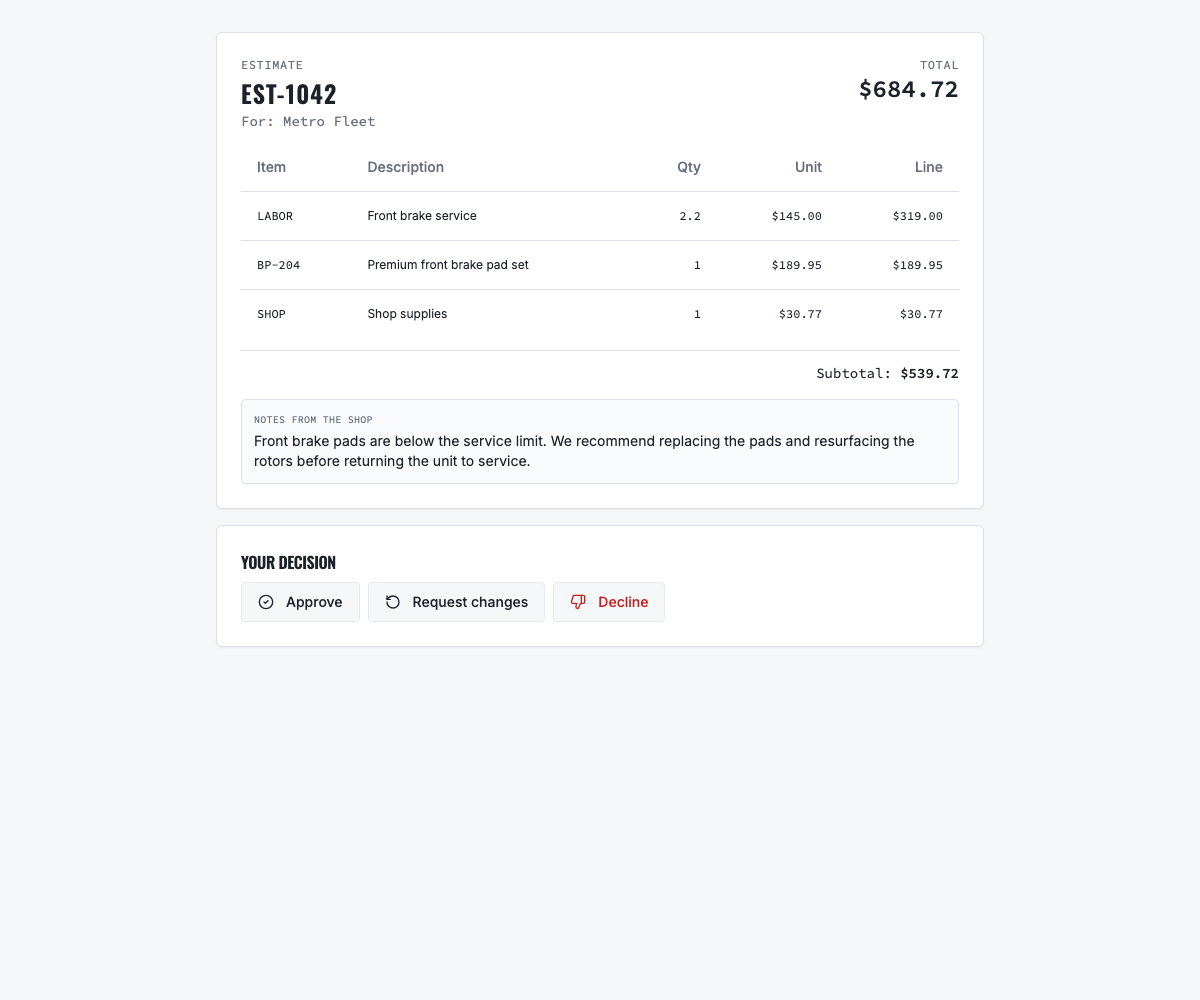
Send an estimate by email, SMS and both channels using test contacts. Open the customer link on a phone, approve one estimate, request changes on another and decline a third. Verify delivery failures, expired links, decision notes and the staff follow-up queue.
- Confirm SMS consent is captured and honored.
- Verify the approver sees itemized scope, price, total and customer-facing notes.
- Confirm the shop cannot mistake message delivery or link opening for authorization.
09
9. Verify reporting and data traceability
Choose five questions the business asks every week, such as open work, technician productivity, gross margin, fleet PM compliance and purchasing variance. Require the vendor to answer them from the product, drill to source transactions and export the underlying data where appropriate.
- Define the formula and date basis for every KPI before comparing numbers.
- Verify filters by shop, employee, customer type and period.
- Reject a dashboard number that cannot be reconciled to operational records.
10
10. Evaluate integrations by failure, not logo count
Test the integrations you will actually use: accounting, payments, Gmail, SMS, telematics and parts providers. Create a transaction, verify it at both ends, change it, retry a failure and identify where errors are visible. A marketplace logo is not proof of a reliable workflow.
- Who owns support when the integration fails?
- What data is synchronized, in which direction and how often?
- How are duplicates, expired credentials, rate limits and partial failures handled?
- What additional subscription or transaction charges apply?
11
11. Verify security, privacy and administration
Test individual accounts, Google sign-in where applicable, password reset, invitation acceptance, shop-scoped access, least-privilege roles and user removal. Review encryption, backups, audit logs, incident response, subprocessors, data retention and AI-data handling with the appropriate technical or legal reviewer.
- Can an administrator remove a departing employee without affecting shared business records?
- Can a user assigned to one shop see or change another shop's restricted data?
- Is customer data used to train generalized AI models, and what contractual restriction applies?
- How quickly can the company obtain a complete export after termination?
12
12. Prove migration before signing
Give the vendor a representative sample containing customers, contacts, vehicles, inventory, vendors, open work and service history. Require a trial migration, reconciliation report, exception list and documented ownership for corrections. Do not rely on a promise that every spreadsheet can be imported later.
- Compare source and destination counts, totals and key relationships.
- Open random records and verify notes, identifiers, balances and history.
- Agree which data will be imported, archived externally or intentionally excluded.
13
13. Score onboarding, training and support
Request a named implementation owner, configuration plan, migration calendar, role-based training, go-live support and escalation path. Ask for response targets and support hours in writing. Speak with a customer whose size and operating model resemble yours.
14
14. Calculate the complete three-year cost
Include base subscription, additional shops and users, payments, SMS and phone numbers, email services, accounting and parts integrations, data migration, training, hardware, implementation, support tiers, annual increases and cancellation obligations. Compare total cost with the labor and revenue problem the system is expected to improve.
15
15. Put acceptance criteria in the agreement
List mandatory workflows, migration results, integrations, security commitments, implementation dates, pricing protections, data ownership, export format and termination assistance. Assign an owner and evidence for each acceptance item. A capable product can still fail when the implementation obligation remains vague.
16
Final decision checklist
Before signing, confirm that every mandatory requirement passed, weighted scoring is complete, references were checked, migration evidence reconciles, security and legal review is closed, three-year cost is understood and the implementation team has approved a realistic go-live plan. Record the reasons for the decision so the business can measure whether the expected outcome was achieved.
Related VMOTEK workflows
Continue from the guide into the product
Use the capability pages for operating behavior, role differences, related guides, pricing and a product walkthrough.
Ready to move forward?
See the workflow in VMOTEK
Bring your current process and we will demonstrate where the platform fits, what changes, and what it does not yet support.