Fleet maintenance
Configure preventive maintenance for fleet vehicles
Preventive maintenance is only useful when the vehicle, service definition, trigger and starting evidence are trustworthy. This guide shows an administrator or fleet service manager how to prepare the fleet record, define an explainable maintenance rule and validate the first due calculation before the shop relies on it.
Written by the VMOTEK Product Team · Updated August 13, 2026
01
1. Prepare the fleet account and vehicle records
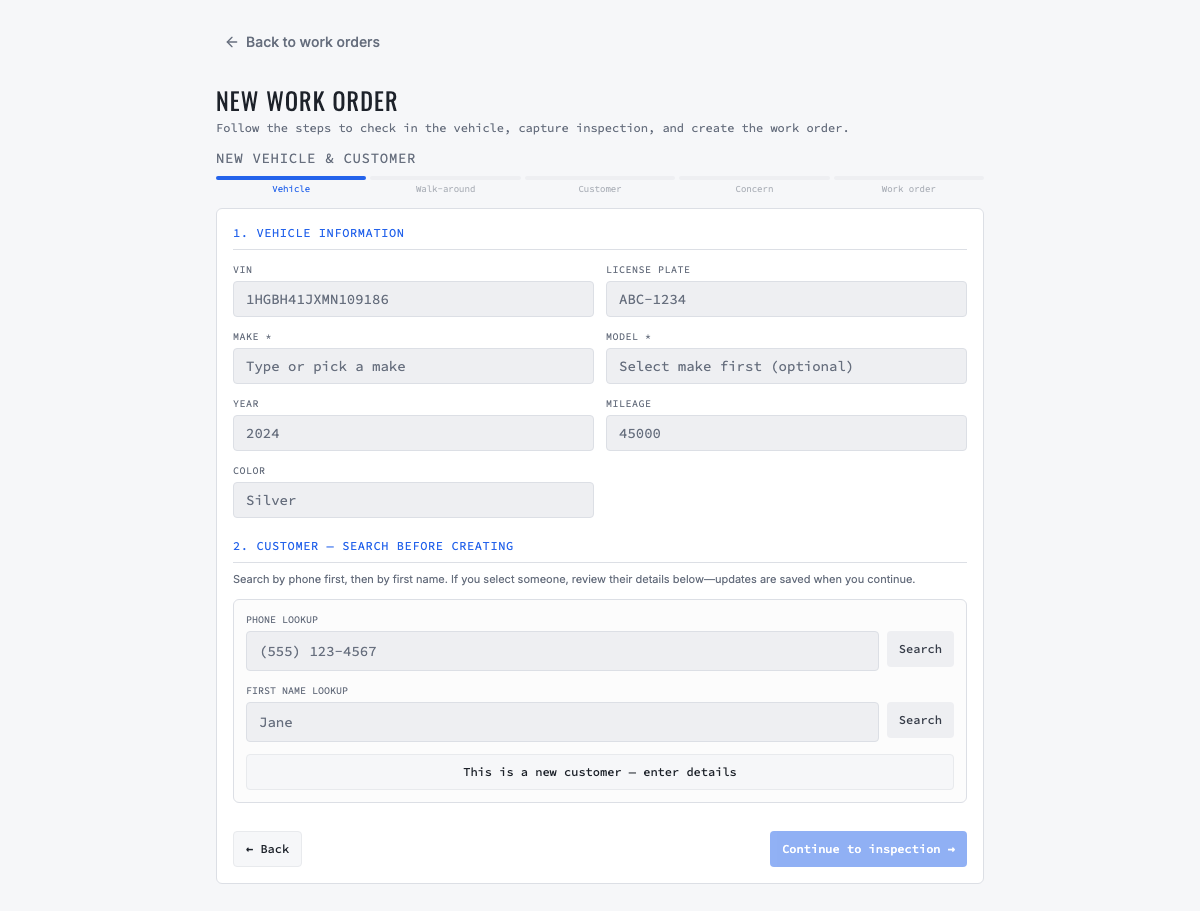
Open Customers, create or select the fleet organization and verify the operational and billing contacts. Add every active vehicle under that one organization instead of creating a customer per unit. Record the unit number, VIN, year, make, model, plate, current odometer and engine hours when applicable. Retire disposed vehicles so they do not continue producing maintenance demand.
- Use one durable vehicle record so work orders, readings and service history remain connected.
- Verify decoded VIN information instead of assuming every decoded value is correct.
- Record the reading date and source; do not invent a starting odometer or hour-meter value.
02
2. Define the service that the rule represents
Confirm the service menu used for the maintenance event, such as oil and filter service, tire rotation, DOT inspection or a manufacturer interval package. The menu should contain the intended labor and task description. Keep pricing reviewable because fleet contract rates, vehicle class and actual condition can change the final scope.
- Use consistent names so advisors recognize the same maintenance event in reminders and work orders.
- Do not combine unrelated services merely to reduce the number of reminders.
- Confirm which employee is accountable for changing company service definitions.
03
3. Choose the trigger logic
Open Fleet Ops and the vehicle's service-reminder configuration. Select a calendar interval, mileage interval, engine-hour interval or a combined rule. A combined rule should become due when the first configured threshold is reached. For example, an oil service may be due every six months or 10,000 miles, whichever occurs first; equipment may use 250 operating hours instead.
- Calendar trigger: useful when age matters even if utilization is low.
- Mileage trigger: useful for road vehicles whose service need follows distance.
- Engine-hour trigger: useful for idling vehicles and equipment whose odometer understates use.
- Combined trigger: use when the service agreement says whichever threshold occurs first.
04
4. Establish the last completed service evidence
Enter the last verified service date and the odometer or engine-hour reading at completion. Prefer a completed VMOTEK work order or trustworthy imported history. The next due point must be calculated from actual evidence, not from the day the rule happened to be entered. If history is unavailable, document that uncertainty and have an accountable person choose a safe baseline.
05
5. Review the calculated due result
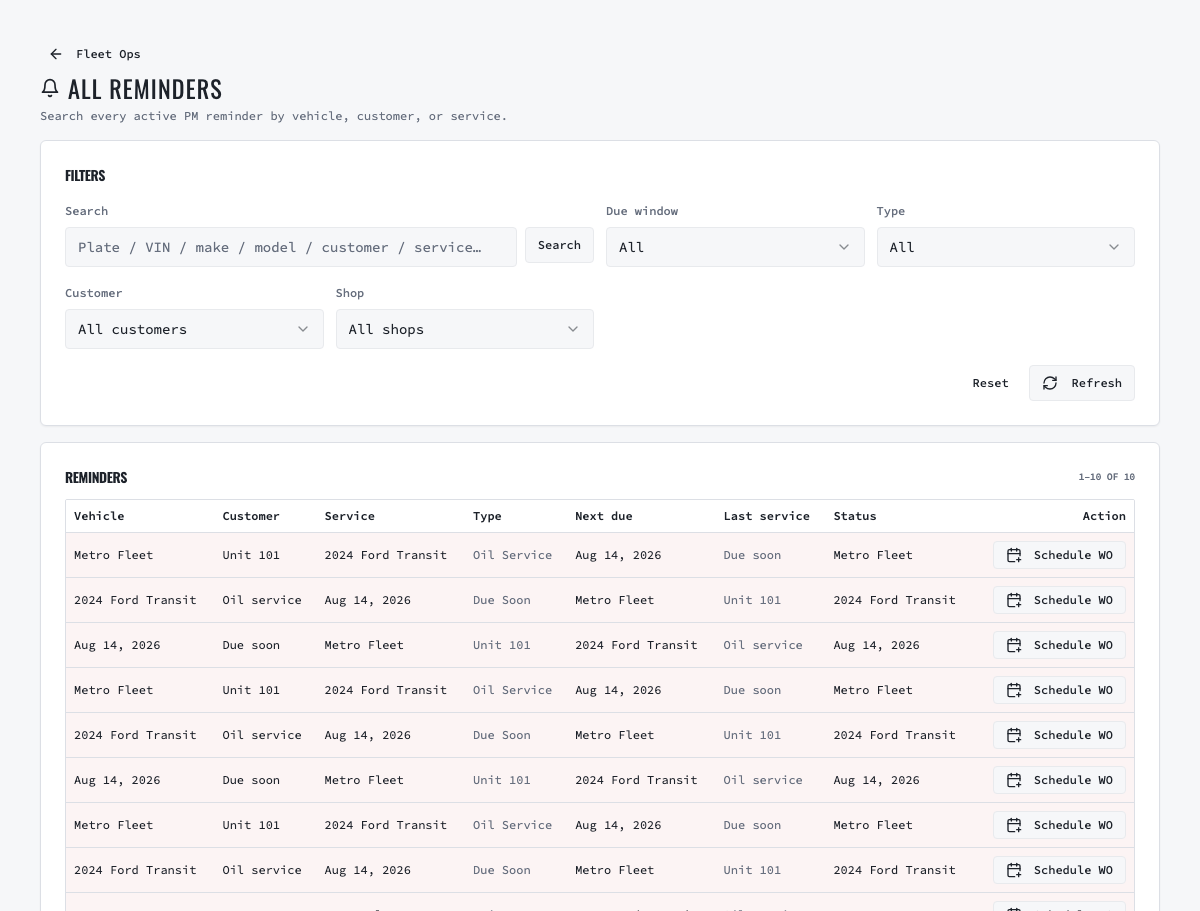
Under Insights, open Fleet Ops and select All reminders. Find the vehicle and inspect the service, next due date, next due odometer or hours, current reading and due status. A manager should be able to explain why the row is Due, Due soon or Overdue without reading database values or maintaining a second spreadsheet.
06
6. Define reading sources and ownership
Readings may come from check-in, inspection, invoice completion, manual entry, bulk import or a supported telematics configuration. Agree which source wins when two readings conflict, who investigates implausible values and how stale data is identified. Telematics improves frequency but does not remove the need to validate device-to-vehicle links and unusual jumps.
07
7. Test before expanding the program
Configure a small representative group containing a normal road vehicle, a high-utilization unit and an engine-hour asset. Advance a controlled reading, confirm the reminder changes, convert an eligible reminder into a draft work order and complete the test service. Verify the next cycle rolls forward from the actual completion date and reading and that a duplicate draft is not created.
Related product areas
Understand the capability behind the task
Continue to the applicable platform page for workflow behavior, role differences and connected operating consequences.
Ready to move forward?
Need help with your configuration?
Existing customers should use in-product support for account-aware assistance. Evaluation teams can contact us to discuss requirements.