End-to-end workflow
Source a special-order part with a purchase order and deposit
Use this workflow when the selected customer item is unavailable locally and the configured sourcing method permits vendor purchase.
Written by the VMOTEK Product Team · Updated August 14, 2026
01
1. Confirm roles and prerequisites
Run this workflow with named users and representative test data before using it with a customer. An owner or manager configures the policy; operational staff execute only the actions their role and shop access permit. Confirm the active shop in the header before creating a transaction because appointments, work orders, inventory movements, purchasing and invoices retain that location.
- Advisor: obtains estimate approval and configured customer deposit.
- Purchaser or manager: creates/approves the vendor commitment.
- Receiver: records actual receipt into the performing shop.
- Configure special-order behavior, deposit percentage/full payment, vendor, catalog item and customer payment method.
- Use an inventory-linked estimate line and confirm local shortage after approval.
02
2. Execute the workflow from beginning to end
Follow the sequence below in order. Continue from the record already created instead of recreating the customer, vehicle, estimate, appointment or work order. At every handoff, reopen the destination record and confirm its source relationship, shop, status and amounts before proceeding.
- Open the approved estimate/appointment and review the shortage and special-order requirement.
- Create the required advance invoice or deposit request from the connected customer transaction; collect the configured amount and confirm payment status.
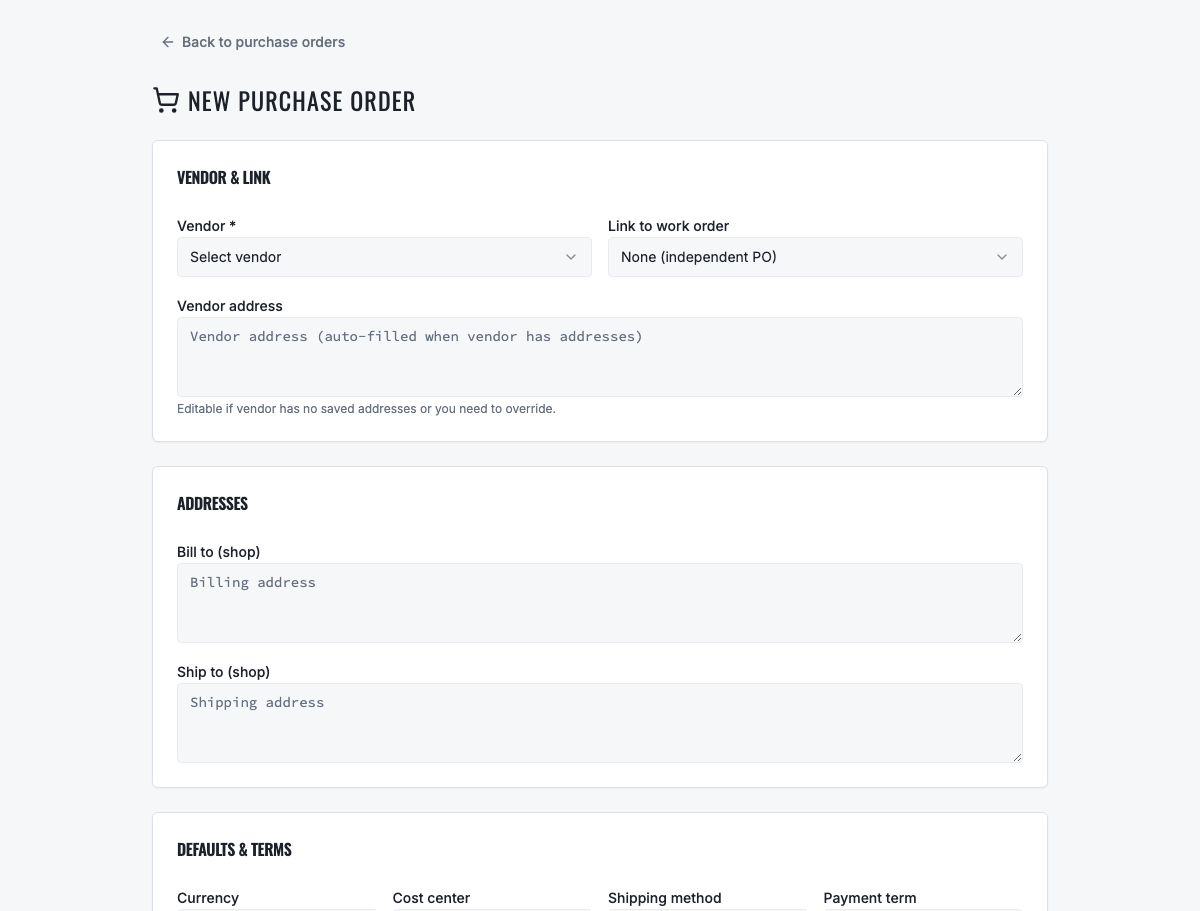
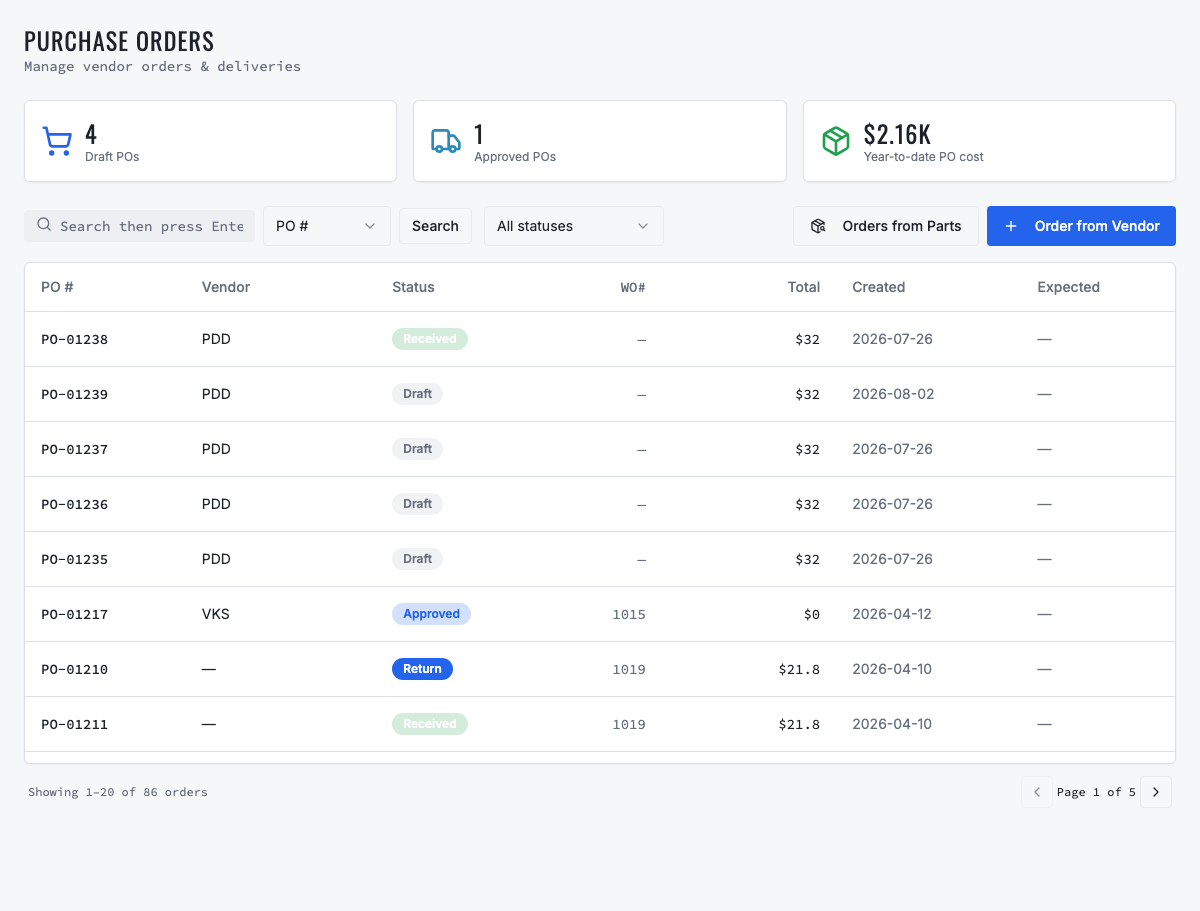
- Purchase Orders → Order from Vendor: choose the vendor and performing/destination shop, add the same catalog item and required quantity, then save.
- Submit and approve the PO under company policy. Confirm its number, vendor, destination, ordered quantity, unit cost and source context.
- When delivery arrives, open the PO, receive actual quantity into the intended shop and leave any outstanding quantity open rather than fabricating receipt.
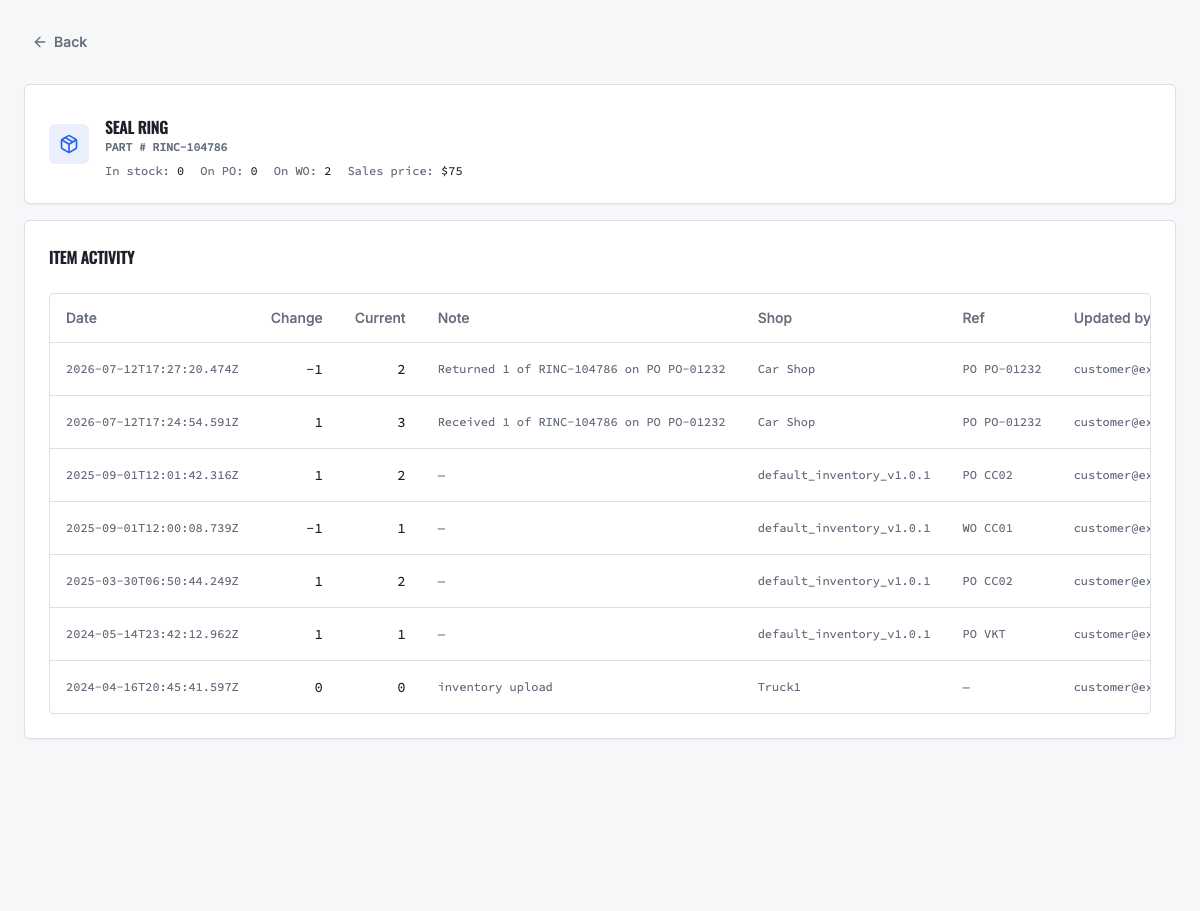
- Confirm inventory activity and notify the customer that parts are ready. Schedule/continue the linked appointment and complete the normal work-order-to-final-invoice flow.
- Apply the deposit/advance payment to the final customer balance according to the recorded transaction relationship.
03
3. Test the blocked and exception paths
A workflow is not ready merely because its normal path succeeds. Repeat the test using the conditions below. VMOTEK should explain why an action is unavailable, retain the existing record and prevent duplicate, stale, unauthorized or physically impossible activity. Do not bypass a business control by creating an unrelated replacement record.
- Do not create a PO when sourcing mode is None or when required approval/deposit is absent.
- Receiving more than ordered or into an unauthorized shop must be rejected or explicitly controlled.
- A failed/expired deposit payment must not be presented as collected.
04
4. Verify records, inventory and financial effects
Open the related records after execution and reconcile them. The customer and vehicle remain company-wide identities, while the appointment, estimate, work order, inventory activity, purchase or transfer, invoice and payment retain the responsible shop. Status labels are operational evidence, not substitutes for checking quantities, totals and source links.
- PO receipt increases stock and purchase history at the destination shop.
- Customer deposit/advance payment remains distinct from vendor purchase cost and is applied once.
- Final invoice reflects sold work; PO cost and inventory consumption remain traceable separately.
05
5. Confirm customer communication
Use the customer's permitted contact channel and preserve delivery status. A sent message does not equal approval, payment or receipt. Continue only from the authoritative decision or transaction status. Email and SMS availability depends on the shop's connected providers, customer contact data and consent settings.
- Send the secure deposit/payment request and preserve its success or failure status.
- After receipt, send email and SMS when configured and consented: the part is ready for the appointment.
06
6. Completion checklist
The journey is complete only when the final business outcome and the expected audit trail agree. Record any failed check, correct configuration or source data, and rerun the scenario from a clean test record.
- PO ordered/received/outstanding quantities are correct.
- Inventory is available at the performing shop before repair consumption.
- Deposit is not duplicated and the final invoice balance is mathematically correct.
Related product areas
Understand the capability behind the task
Continue to the applicable platform page for workflow behavior, role differences and connected operating consequences.
Ready to move forward?
Need help with your configuration?
Existing customers should use in-product support for account-aware assistance. Evaluation teams can contact us to discuss requirements.