Data import guide
Upload vendors into VMOTEK
Vendor upload builds the supplier records used by catalogs, purchase orders and receiving. Vendors and customers are deliberately different record types even when the same organization buys from and supplies the shop. Importing through this screen protects that separation.
Written by the VMOTEK Product Team · Updated August 13, 2026
01
Prepare the vendor file
Create one row for each legal or trading supplier. Decide which contact receives purchase orders and which address belongs on purchasing documents. Keep catalog items out of this file; create vendors first, then upload each vendor's catalog from its vendor detail page.
- Required: company_name.
- Recommended: ordering email, phone, contact person and supplier account number.
- Use the vendor upload, not customer upload, for parts, tire and service suppliers.
- Retain the source export and run a representative pilot.
02
Open vendor upload
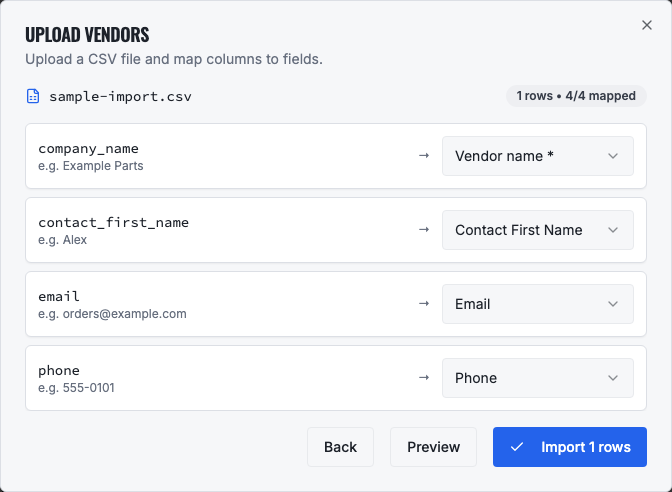
Open Procurement in the left navigation, select Vendors and choose Upload vendors. Select the CSV and review the automatically suggested mapping.
03
Vendor column dictionary
The vendor importer accepts the following fields.
- company_name, required supplier display name.
- contact_first_name / contact_last_name, primary ordering contact.
- email, ordering email and case-insensitive dedupe key within vendor records.
- phone / mobile, supplier contact numbers.
- addr1 / addr2 / city / state / zip / country, supplier address.
- client_accno, your account number with the supplier or a stable legacy reference.
- sales_tax_id, optional tax identifier.
- notes, ordering instructions or operational context, excluding credentials and secrets.
04
Mapping and deduplication
Exact, label and normalized heading matches are mapped automatically. Confirm each selection and skip unknown columns. company_name must be mapped. When email matches an existing vendor, the importer updates the vendor and its primary contact. A customer using that email is not converted or overwritten because vendor matching is limited to vendor records.
- Use Preview to inspect values before importing.
- Do not map a supplier part number as client_accno; part numbers belong in vendor catalogs.
- A missing email means the row cannot be matched by email on a later upload.
05
Verify and continue
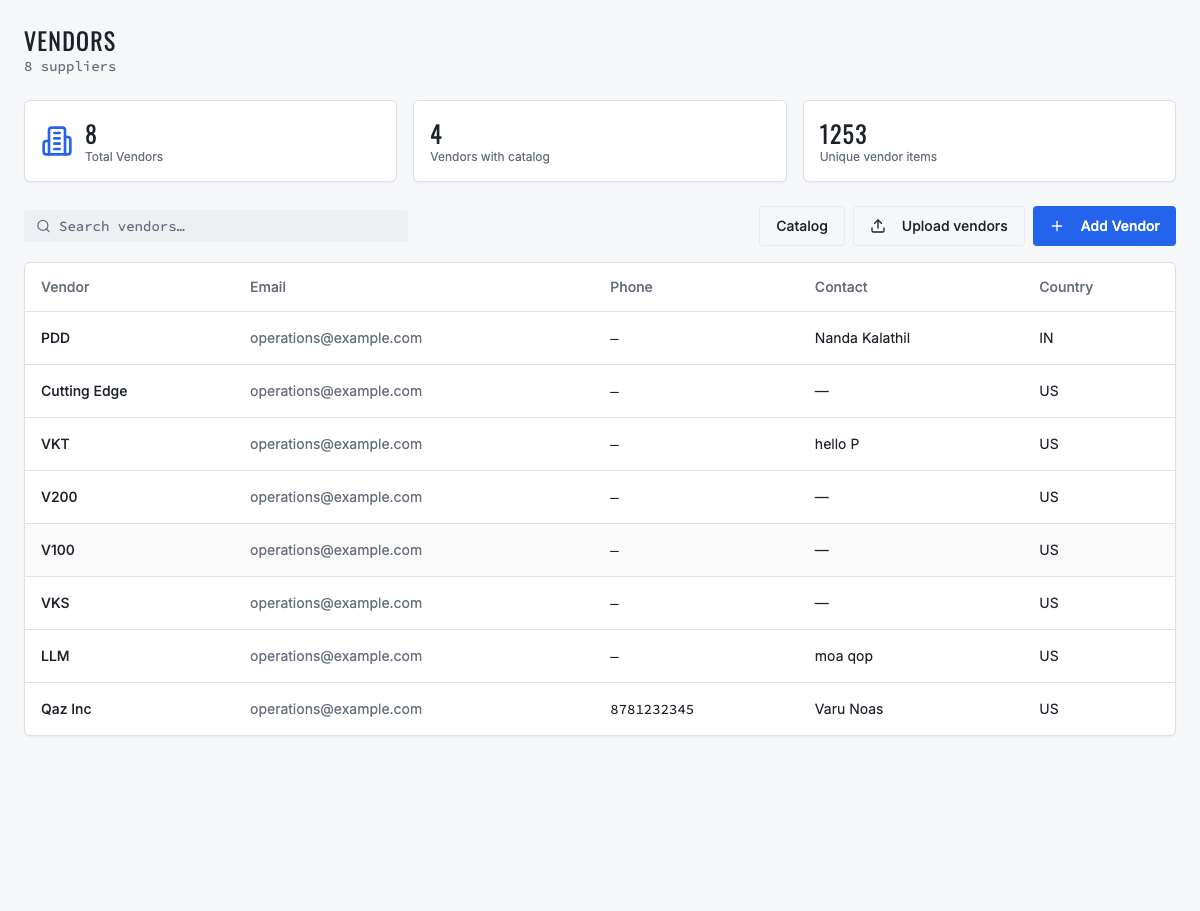
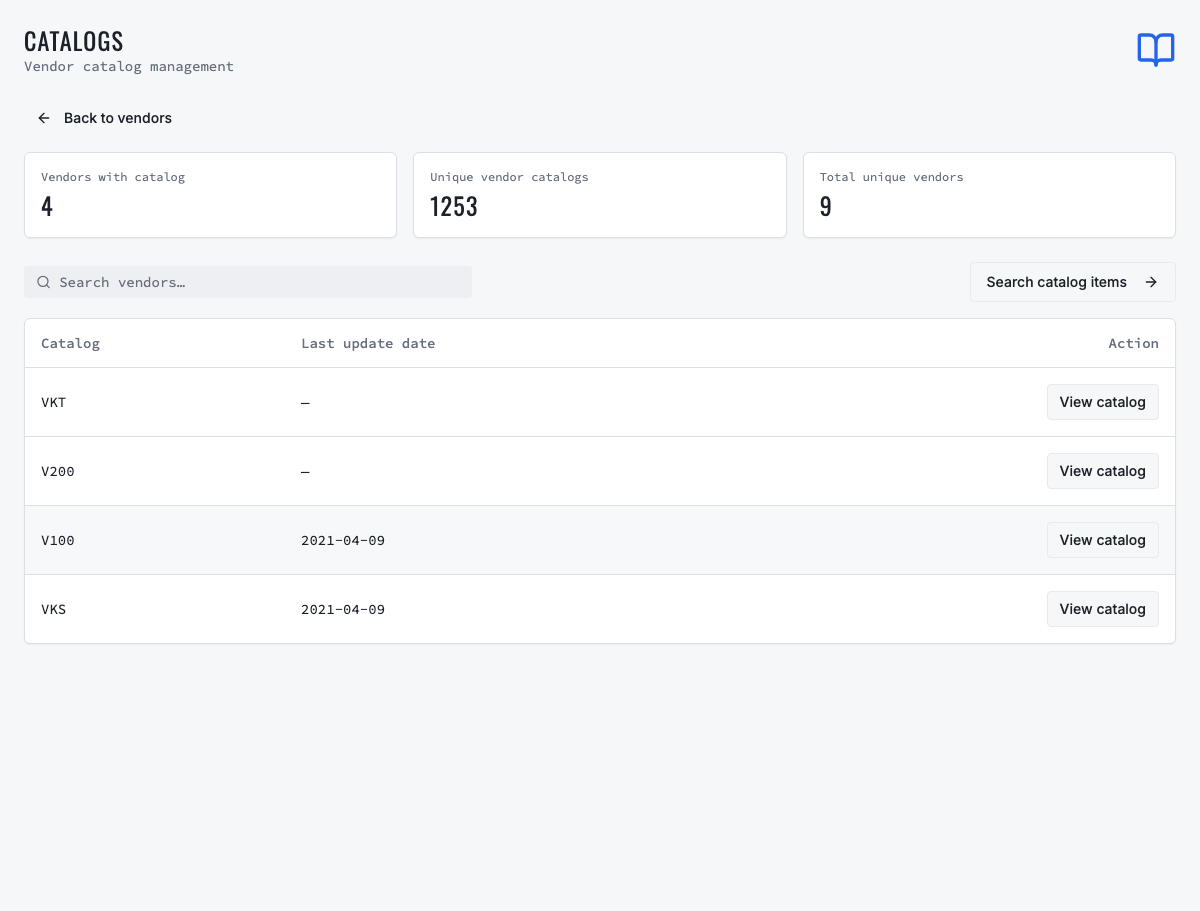
Search Vendors for the imported supplier, open it and confirm contact and address. Search Customers for the same unique name and confirm it is absent. Then open the vendor and upload or maintain its catalog before creating purchase orders.
06
Troubleshooting
If a vendor appears missing, clear filters and verify the import count. If it appears in Customers, confirm it was not separately created or imported there; vendor upload itself writes vendor type only. Resolve duplicate supplier emails before catalog or purchase-order activity makes consolidation harder.
Related product areas
Understand the capability behind the task
Continue to the applicable platform page for workflow behavior, role differences and connected operating consequences.
Ready to move forward?
Need help with your configuration?
Existing customers should use in-product support for account-aware assistance. Evaluation teams can contact us to discuss requirements.