Consolidated procurement
Consolidated purchasing for multi-location repair shops
Turn scattered shop requests into fewer, better-informed orders without losing the location and job behind each line.
VMOTEK consolidates approved purchase requests from multiple shops into a company-level buying decision. The buyer compares compatible demand and vendor context, creates the PO, and keeps line-level traceability back to the requesting shop for receiving and reporting.
The problem
Aggregation only works when traceability survives
A spreadsheet can total quantities, but it rarely preserves approval, urgency, destination, job context and the final vendor commitment in a form operations can audit.
- Small isolated orders reduce leverage and increase freight.
- Urgent demand can be buried inside a bulk order.
- The receiver may not know which shop owns each line.
- Savings cannot be measured against the original requests.
How it works
From approved requests to one controlled order
- 01
Collect requests
Shops submit demand with quantity, required date, proposed vendor and operational reason.
- 02
Approve demand
Authorized staff confirm that the need and budget are valid before consolidation.
- 03
Group compatible lines
Buyer selects requests that can reasonably share a vendor and order cycle.
- 04
Review evidence
Compare requested cost, catalog alternatives, available stock and timing.
- 05
Create the PO
Generate the vendor commitment with source request and destination retained per line.
- 06
Receive and allocate
Record delivery and move quantity to the location that owns it.
What you get
Capabilities in this area
Source-request traceability
Each consolidated line retains the request and shop that created the demand.
Buyer-controlled grouping
A person decides which requests are compatible; automation does not silently commit spend.
Savings context
Compare candidate prices and network availability before finalizing the order.
Allocation-aware receipt
Use line-level destinations when receiving directly. If goods arrive at a central location, receive them there and use controlled transfers to reach the final shops.
By role
What changes for each person
Buyer
Review one queue, combine sensible demand and retain evidence for the vendor decision.
Location
Track the request through approval, consolidation, order and receipt without repeatedly calling purchasing.
Leadership
Measure consolidated demand, price differences and order behavior across the network.
Use it in VMOTEK
Where to find this workflow and how to complete it
Consolidated purchasing is a Connected Operations workflow. It groups approved requests for the same vendor into a controlled order while retaining the originating shop and request.
Where to find it
Staff create demand under Procurement → Purchase Requests. Administrators then open Procurement → Procurement to review approved requests grouped by vendor and consolidate selected lines.
Who can use it
Purchase Requests and centralized procurement require the Connected Operations entitlement. Consolidation is restricted to administrators; request and approval visibility also follows role and shop assignment.
Before you start
- • Create vendors and associate the proposed vendor where known.
- • Grant Purchase Request access to requesters and approval authority to reviewers.
- • Approve requests before attempting consolidation.
Step by step
Combine approved shop demand into one vendor PO
Button names and menu paths below match the VMOTEK repair application. Options appear according to the subscription, role and assigned shop.
- 1
Create requests at each shop
From Purchase Requests choose New Purchase Request. Record the shop, required item, quantity, expected amount, urgency and vendor when known.
- 2
Submit and review
Move each request from draft into review. Authorized staff approve valid demand, reject it or return it when the requirement is incomplete.
- 3
Open the Procurement page
Select Procurement in the sidebar. The page loads pending approved requests and groups compatible demand by vendor.
- 4
Select one vendor group
Choose the requests that can reasonably share an order. VMOTEK prevents one consolidation from silently mixing different vendors. For unspecified requests, select the vendor before continuing.
- 5
Review the analysis
Read selected total, price and spend context, inventory availability, open-order signals and the calculated consolidation estimate. Generate an AI brief only when a narrative summary is useful; the buyer remains responsible for the decision.
- 6
Consolidate into a PO
Add purchasing notes and confirm consolidation. VMOTEK creates the PO and updates each source request to point to that order.
Result: One PO contains the selected demand with source-request traceability.
- 7
Approve and send
If the resulting order requires procurement approval, open PO Approvals. After approval, open the PO and email it to the vendor.
- 8
Receive and allocate
Record actual delivery. Receive centrally when that is where parts arrived, or receive into the intended shop when the vendor shipped directly.
What the system records
The operational result, not just the screen action
Source requests
Each consolidated request shows the resulting PO and no longer remains unexplained in the approved queue.
Consolidation evidence
Selected demand, vendor, totals and analysis provide context for the buyer’s human decision.
Resulting PO
The vendor commitment becomes the source of truth for approval, delivery and receiving.
Common exceptions
- • Approved requests do not automatically become purchase orders; an administrator must consolidate or order them.
- • Requests assigned to different vendors cannot be combined into one PO.
- • An urgent request may be better handled as a direct order rather than waiting for a consolidation cycle.
- • A savings estimate is decision support, not a guaranteed supplier discount or delivery promise.
Product screens
Recognize the workflow before you configure it
Screens may change as VMOTEK improves, but the records and control points shown here remain the basis of the workflow.
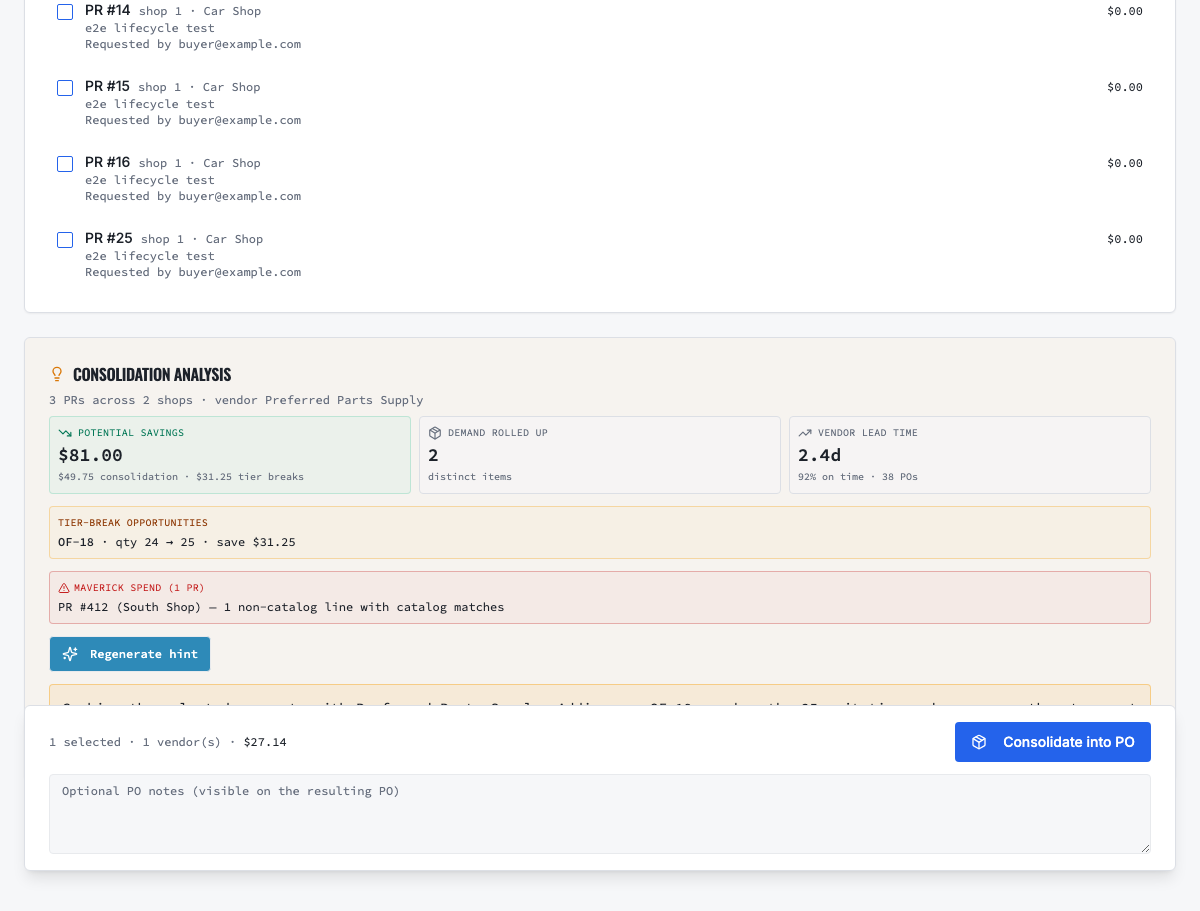
Select compatible approved demand, review sourcing evidence and create the controlled PO.
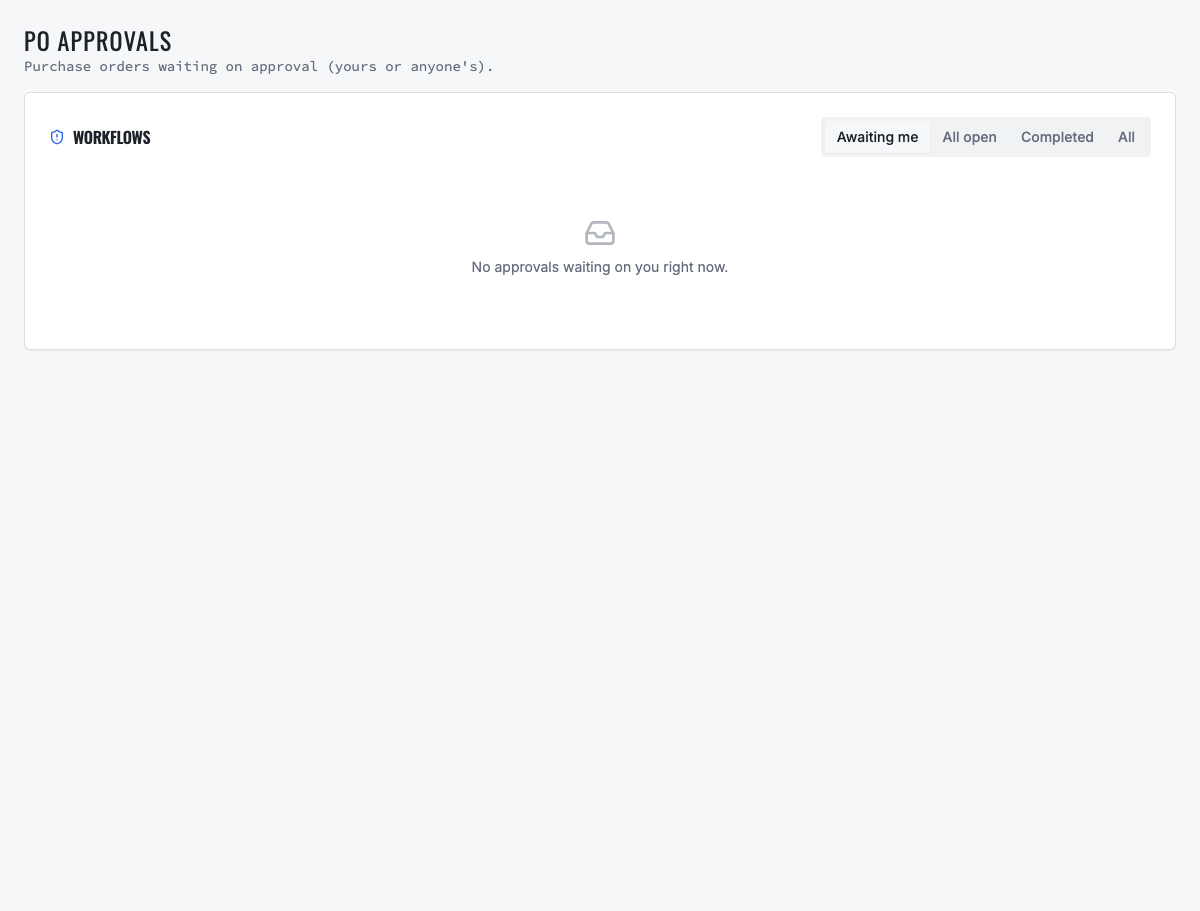
Orders requiring authority remain in a dedicated approval queue before vendor commitment.
Need the complete operating sequence? Read the purchase-order and consolidated-procurement guide →
Ready to move forward?
See the shop-to-fleet workflow
A personalized walkthrough of VMOTEK against your own operation. No pressure, no scripted pitch, bring the questions your team actually has.