Procurement intelligence
Purchase-order cost and savings analysis for repair shops
Give the buyer evidence before the commitment: what the network owns, what suppliers offer and where price differences may matter.
VMOTEK analyzes purchase demand against available company stock, authorized vendor catalog offers and recorded cost context. It can surface transfer or sourcing alternatives and explain the evidence, while an authorized person retains the vendor, quantity, price and PO decision.
The problem
The lowest visible price is not automatically the best decision
A cheaper offer may arrive too late, require freight or come from a vendor the shop cannot use. Savings analysis must expose evidence and constraints instead of silently selecting a supplier.
- Buyers overlook inventory already owned elsewhere.
- Price differences are discovered after the PO is issued.
- Recommendations hide freight, timing or authorization assumptions.
- Teams cannot explain whether projected savings were realized.
How it works
Evidence before authorization
- 01
Start with demand
Use a purchase request or draft PO with part, quantity, shop and timing.
- 02
Check network stock
Identify transferable quantity before recommending a new purchase.
- 03
Compare authorized offers
Review vendor item, price and available lead-time context.
- 04
Explain candidates
Show why a transfer or vendor option may reduce cost or delay.
- 05
Human review
Buyer validates assumptions, relationship, quality and operational fit.
- 06
Commit and measure
Create the approved PO and retain the decision context for later comparison.
What you get
Capabilities in this area
Network-first check
Treat usable internal stock as an alternative to buying another unit.
Vendor comparison
Place relevant authorized offers side by side without erasing supplier identity.
Explainable recommendation
Show the evidence and assumptions behind a suggested saving.
Human authority
Never turn an analysis into an invisible vendor commitment.
By role
What changes for each person
Buyer
Review a prioritized brief instead of searching disconnected files and shop messages.
Approver
See the evidence for price and transfer choices before authorizing spend.
Owner
Build a repeatable savings review while keeping accountability with staff.
FAQs
Frequently asked questions
Savings depend on current data, vendor terms, freight, timing and buyer validation. VMOTEK presents decision support, not guaranteed savings.
Use it in VMOTEK
Where to find this workflow and how to complete it
VMOTEK’s procurement analysis assembles evidence for a buyer; it does not place an order or guarantee savings. Deterministic totals remain separate from the optional AI-generated narrative brief.
Where to find it
Open Procurement → Procurement, select approved requests from one vendor group, and review the analysis panel. Change the spend window in the summary when comparing recent purchasing behavior.
Who can use it
Centralized procurement and its analysis require Connected Operations and administrator access. A human buyer or approver remains responsible for the final vendor commitment.
Before you start
- • Approved purchase requests with usable quantity and amount data.
- • A selected vendor or an administrator-provided vendor override.
- • Purchasing, inventory and open-order history sufficient for meaningful comparison.
Step by step
Review savings evidence before creating the PO
Button names and menu paths below match the VMOTEK repair application. Options appear according to the subscription, role and assigned shop.
- 1
Open approved demand
Use the Procurement page and identify a vendor group with requests ready for buyer review.
- 2
Select compatible requests
Choose one or more requests within a single vendor group. The analysis refreshes from the selected request IDs and vendor.
- 3
Read the selected total
Confirm the amount represented by the selected demand. This is the baseline under review, not a final invoice.
- 4
Review stock and duplicate-order signals
Check whether relevant quantity exists at another shop or is already on an open purchase order before approving another buy.
- 5
Compare price and spend context
Review available historical and supplier context along with the chosen monthly, quarterly or annual spend window.
- 6
Read the calculated savings estimate
Understand which comparison produced the estimate. Treat missing or stale cost evidence as uncertainty rather than zero cost.
- 7
Generate the optional brief
Request a narrative hint when the buyer wants a concise explanation. The AI brief summarizes available evidence and must not replace source totals or approval.
- 8
Decide and document
Change the selection, choose another vendor, transfer stock, postpone demand or consolidate into a PO. Add notes explaining the business decision.
What the system records
The operational result, not just the screen action
Selected demand
The request IDs, vendor and total define exactly what the analysis evaluated.
Deterministic evidence
Totals and comparisons come from operational records and remain inspectable independently of AI wording.
Human commitment
Only the authorized consolidation and approval actions create the controlled purchasing outcome.
Common exceptions
- • A lower historic price may no longer be available and does not guarantee supplier acceptance.
- • Requests from different vendors must be evaluated separately.
- • Missing catalog or history data reduces confidence; it should not be presented as proven savings.
- • The optional AI brief must never be described as autonomous purchasing or automatic approval.
Product screens
Recognize the workflow before you configure it
Screens may change as VMOTEK improves, but the records and control points shown here remain the basis of the workflow.
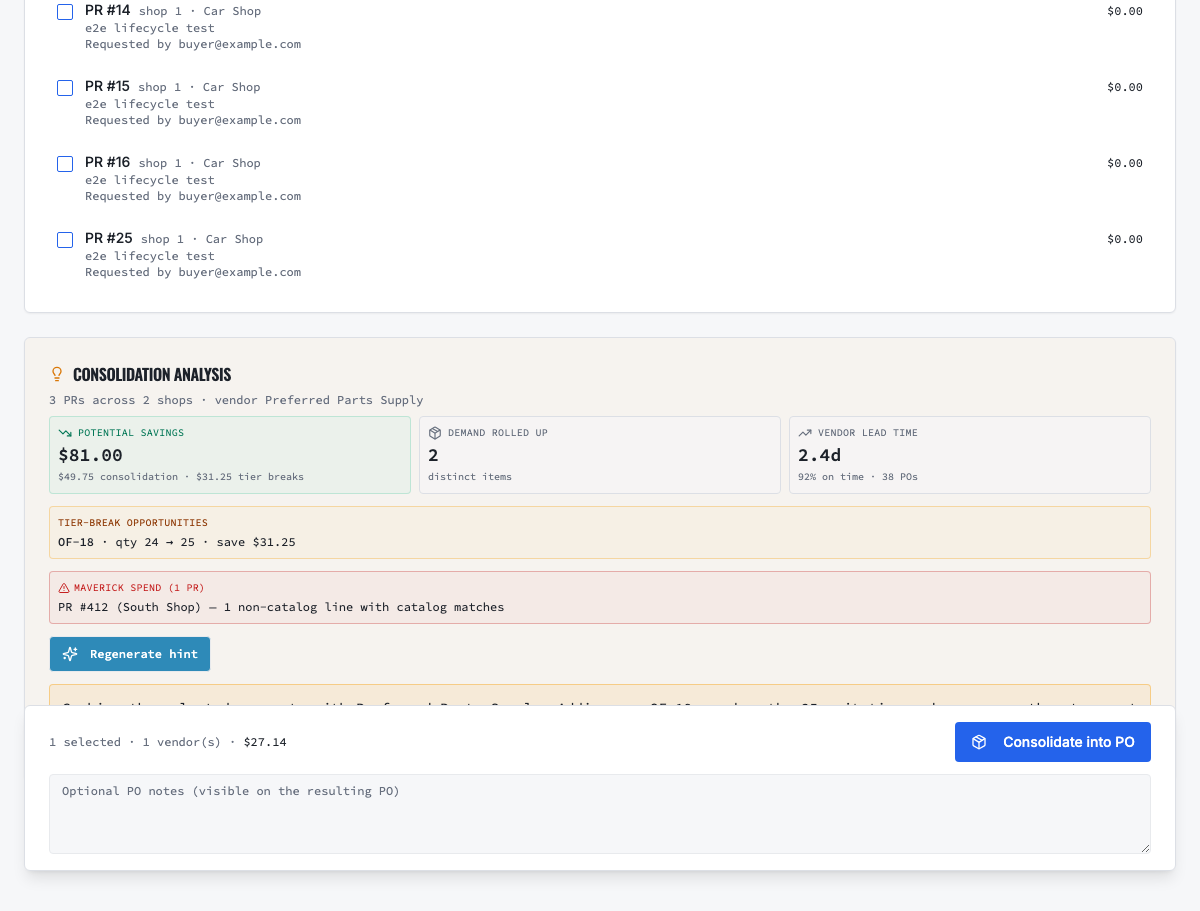
Select compatible approved demand, review sourcing evidence and create the controlled PO.
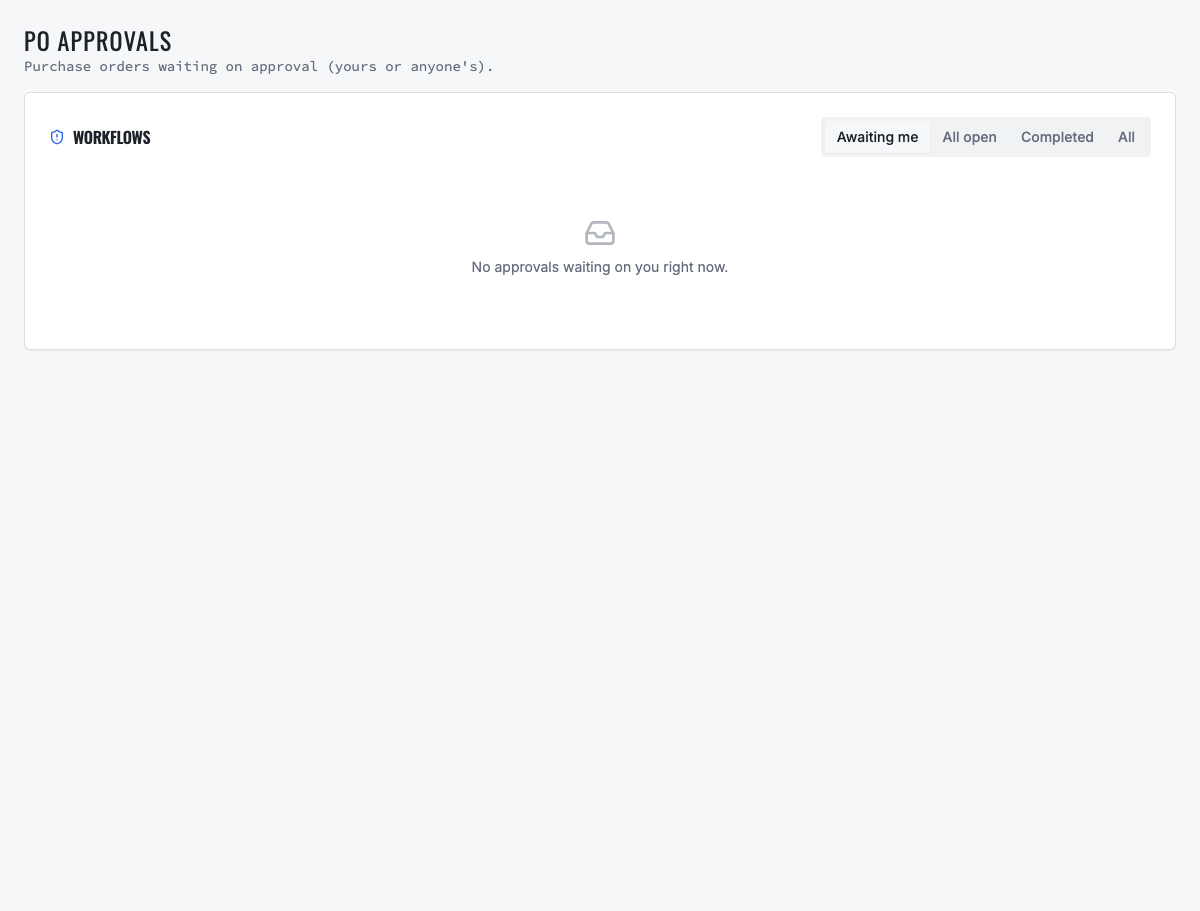
Orders requiring authority remain in a dedicated approval queue before vendor commitment.
Need the complete operating sequence? Read the purchase-order and consolidated-procurement guide →
Ready to move forward?
See the shop-to-fleet workflow
A personalized walkthrough of VMOTEK against your own operation. No pressure, no scripted pitch, bring the questions your team actually has.